Good lead capture starts with an uncomfortable truth: you've already done the hard part. Someone found your business, clicked through to your website and started reading about your services. They're interested. And then they leave, without filling in a form, without calling, without leaving any way to reach them.
For most business websites, that's what happens to the majority of visitors. Not because they weren't interested, but because the website made it too much work to take the next step.
This guide is about lead capture: turning more of those visitors into named, qualified leads your team can follow up. We'll look at why traditional forms underperform, how conversational lead capture with an AI chatbot works, exactly what to ask and when, and a checklist you can use today.
#What is lead capture?
Lead capture is the process of collecting a potential customer's contact details and intent, so your business can follow up. On a website, that has traditionally meant a contact form: name, email, phone, message, submit. A captured lead is anyone who gives you a way to reach them and an idea of what they want.
The quality of lead capture comes down to two things: how many interested visitors become leads, and how useful those leads are when they arrive.
Contact forms aren't bad. But they ask visitors to do a lot of work for very little in return.
They ask before they give. A form demands your details before answering a single question. Most visitors just want to know the price, whether you're available, or if you do what they need.
They're slow. "We'll get back to you within 24 hours" is a long time when a competitor's website can answer right now.
They don't handle the "almost ready". Plenty of visitors aren't ready to fill in a form but would happily ask a quick question. Without a way to ask, they leave.
They produce thin leads. "Hi, interested in your services, please call" tells your team almost nothing. Someone has to call back and start the conversation from scratch.
#Speed matters more than almost anything
When people are shopping for a service, they often contact several businesses at once and go with whoever replies first with a useful answer. Every hour between enquiry and response gives a competitor the chance to answer first.
That's why speed-to-lead, the time between a customer's first message and your first useful reply, is one of the most important numbers in lead generation. An AI chatbot brings it down to seconds, at any hour of the day or night.
#Conversational lead capture: answer first, then ask
Conversational lead capture flips the form model around. Instead of "give us your details and we'll answer later", it's "ask anything, get an instant answer, and leave your details when you're ready."
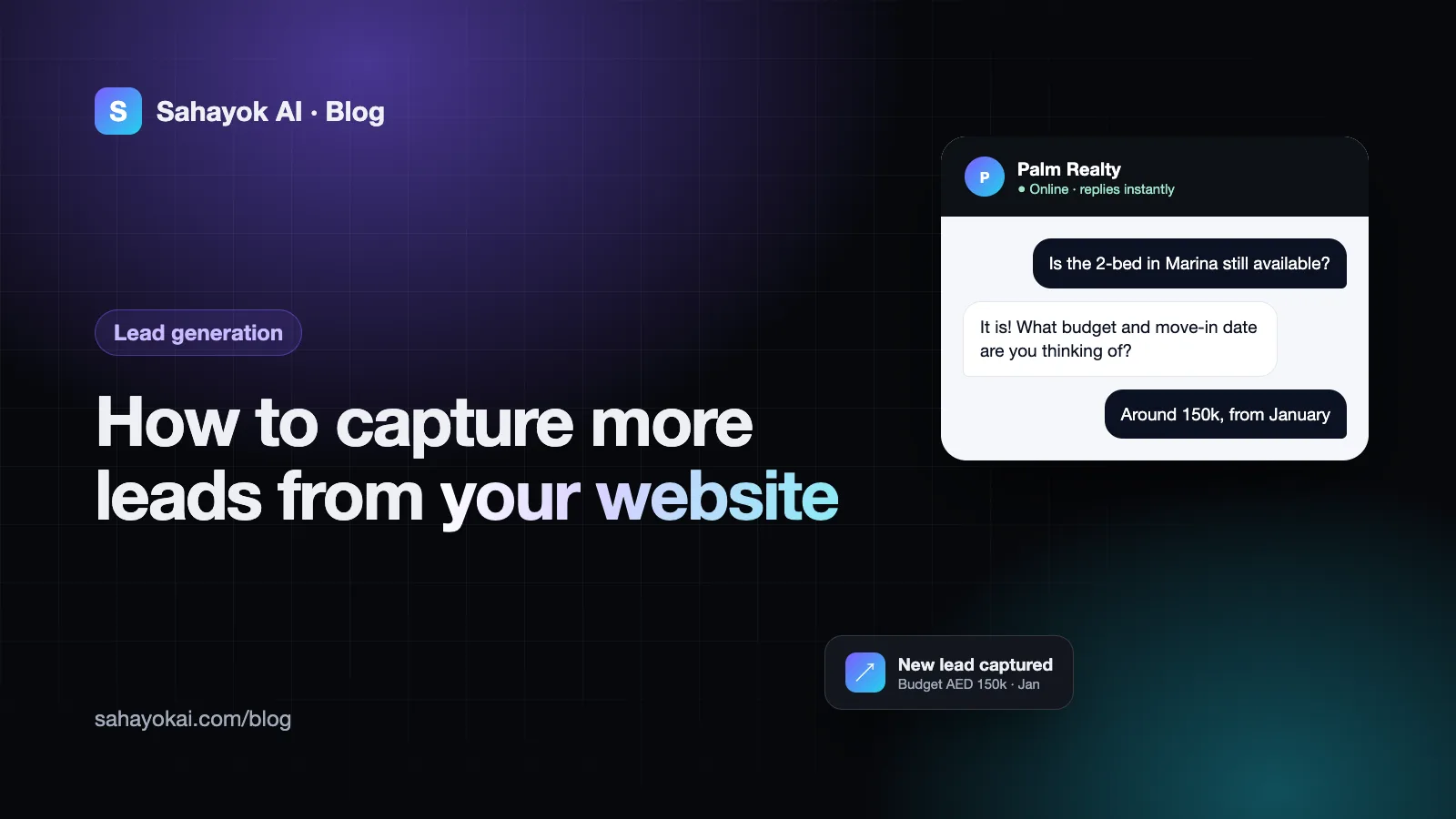
Here's what that looks like on a real estate website:
Visitor: Is the 2-bed in Marina still available?
Assistant: It is! It's a 2-bedroom with a full marina view, available from January. What budget are you working with, and when would you like to move?
Visitor: Around 150k a year, from January.
Assistant: That fits nicely. I can arrange a viewing this week. Could I take your name and phone number so our agent can confirm a time?
By the end of that exchange, your team has a name, a number, a budget, a timeline and a property, without the visitor ever seeing a form.
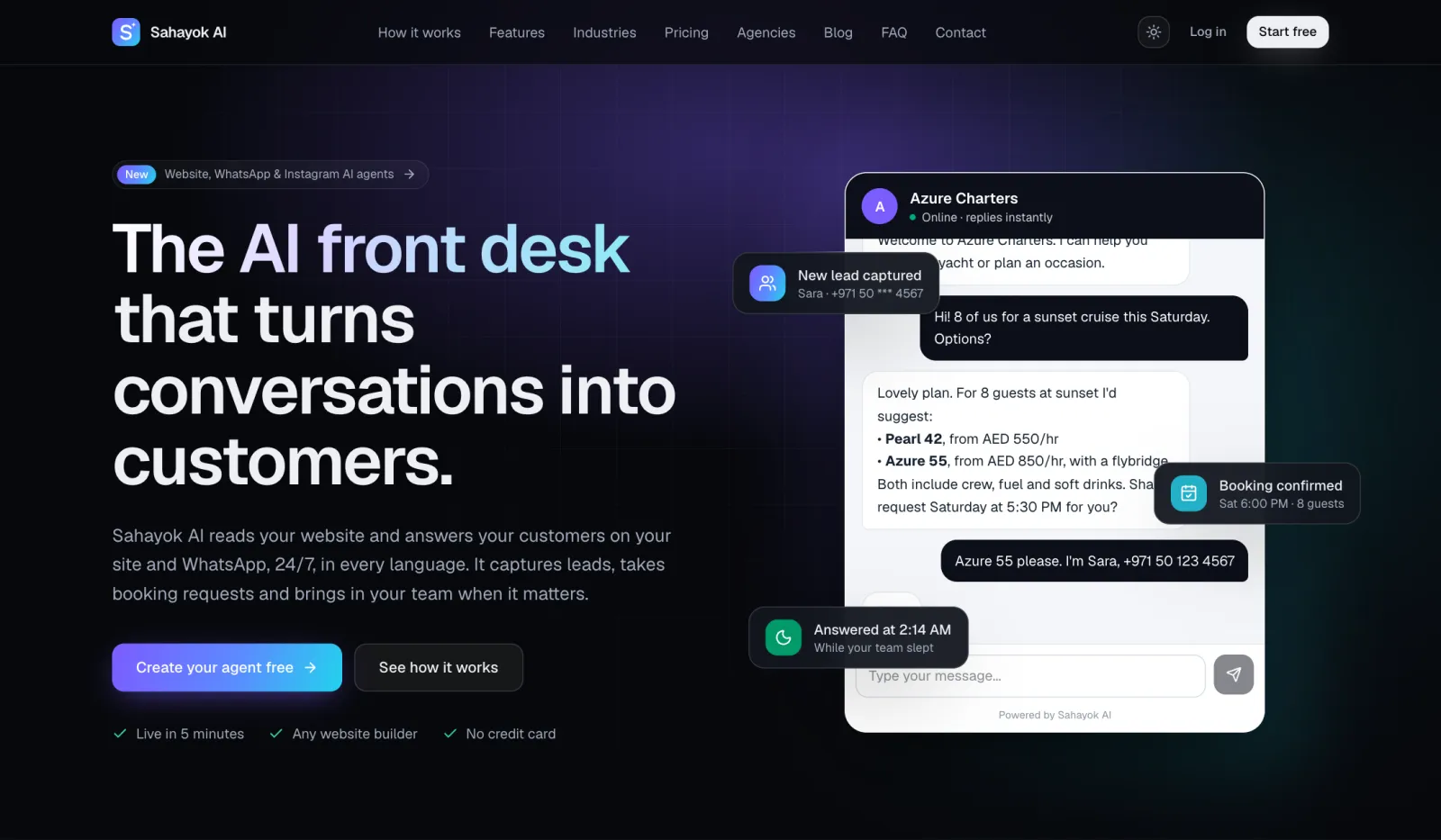 Conversational lead capture: answer the question, then capture the details
#What to ask, and when
The art of conversational lead capture is asking the right question at the right moment. Ask too early and it feels pushy; ask too late and the visitor leaves.
#Answer the question first
Always answer what they asked before asking anything yourself. It earns trust and keeps them talking.
Signals of intent include asking about availability, a specific date, how to book, or a detailed price. That's when to ask for a name and phone number, politely and once.
#Collect what your team actually needs
Every industry needs different details. A restaurant needs date, time and party size. A clinic needs the service and preferred time. A real estate agent needs budget, area and timeline. A good AI assistant uses an industry playbook so it knows what matters for your business.
#Don't interrogate
Ask one question at a time. Collect the essentials, and let your team handle the rest.
#Qualify leads automatically
Not all leads are equal. A visitor who asks for a viewing this week with a clear budget is very different from someone browsing prices for next year.
Sahayok AI scores every lead hot, warm or cold with a two-line summary and the best next step, for example: "Hot: wants a 2-bed in Marina from January, budget AED 150k, ready to view this week. Call today." Your team calls the hottest leads first instead of working down a list.
Turn your website visitors into leads, automatically. Your AI assistant answers every question in seconds, captures the details and scores each lead. The website chat is free on the Starter plan.
Create your free agent See all features
#Book while they're keen
The best lead is one that's already booked. If your business takes appointments, connect a calendar so the assistant can offer real free times and confirm the booking in the chat. No back-and-forth emails, no double bookings, and no chance for the visitor to cool off.
For higher-value bookings, a deposit link sent in the chat turns a booking request into a committed customer. With Sahayok AI it's paid straight into your own Stripe account.
#Alert your team instantly
Capturing a lead is only half the job. The other half is a fast human follow-up. Make sure your team gets an instant alert on their phone, by WhatsApp or by email with the full details, so they can call while the customer is still thinking about you.
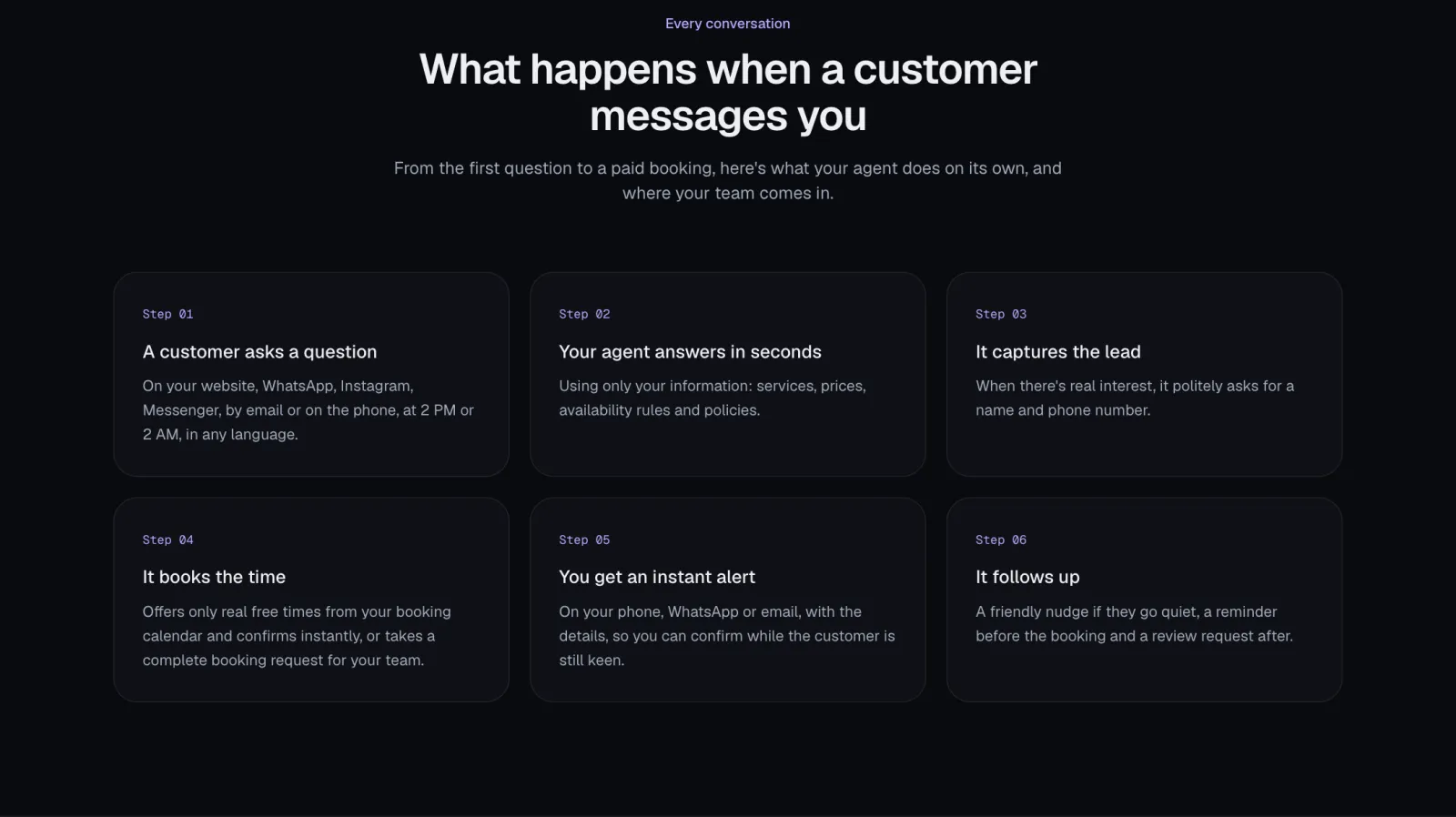 The full journey: from first question to follow-up
#Follow up the ones who go quiet
Some visitors will leave mid-conversation. That's normal. If you've captured their WhatsApp number, a friendly, specific follow-up the next day brings many of them back. Sahayok AI sends one automatically on WhatsApp, about 20 hours after an interested customer goes quiet, written from the actual conversation.
#Where to place your chat for the best results
- Every page, bottom corner. The standard position works because visitors know where to look.
- A friendly welcome message. Something specific to your business ("Planning a celebration? Ask me about packages and availability") works better than a generic "How can I help?"
- Quick-reply buttons. Offer the top three questions as buttons ("Prices", "Book a table", "Opening hours") so starting a conversation takes one tap.
- Your brand colours. The chat should look like part of your website, not a bolted-on widget.
- Mobile first. Most visitors are on their phones. Make sure the chat works beautifully there.
#Before and after: one evening on a clinic website
Picture a dental clinic's website on a weekday evening, after reception has closed.
Before: six people visit the teeth whitening page between 8 PM and midnight. Two fill in the contact form with "please call me". Four leave. The next morning, reception calls the two form leads. One doesn't pick up; the other has already booked elsewhere.
After: the same six visitors see a chat offering to answer questions about whitening. Four of them ask something: the price, how long it takes, whether it hurts, if Saturday is available. All four get instant, accurate answers from the clinic's own information. Three leave a name and number, and two choose a Saturday consultation time from the live calendar. Reception starts the day with two confirmed bookings and one warm lead to call, each with a short summary of what the patient wants.
The website didn't get more visitors. It just stopped letting interested people leave empty-handed.
#How to measure lead capture
Track these before and after adding conversational lead capture:
| Metric | What it tells you |
|---|
| Conversations started | How many visitors engage at all |
| Leads captured | How many conversations end with contact details and intent |
| Lead capture rate | Leads divided by website visitors |
| Hot leads | How many are ready to buy now |
| Bookings and deposits | How many leads become paying customers |
| After-hours leads | Enquiries you would have missed overnight |
#Lead capture mistakes to avoid
Gating every answer behind a form. If visitors have to hand over their details just to see a price, many will simply leave. Answer first.
Asking for too much. Name and phone number are usually enough to start. Every extra required field loses people. Let the conversation collect the rest naturally.
Generic greetings. "Hi, how can I help?" is easy to ignore. A specific welcome that mentions what visitors usually want works much better.
Slow human follow-up. Capturing the lead in seconds and calling back three days later wastes the effort. Instant alerts exist for a reason.
No follow-up at all. Some visitors need a gentle reminder. A single friendly, specific message the next day is helpful, not pushy.
Treating every lead the same. Without scoring, your team spends as much time on casual browsers as on ready-to-buy customers.
Forgetting privacy. Be clear about how you use contact details, keep data secure and give people a way to ask for it to be deleted, especially under laws like the UAE PDPL.
#Lead capture beyond your website
Your website is only one place people discover you. The same principles, answering instantly, asking at the right moment and alerting your team, apply on WhatsApp, Instagram, Facebook Messenger and email. The simplest setup is one assistant with one set of knowledge answering on every channel, feeding every lead into one inbox. That way, a customer who first asks a question on Instagram and later books on WhatsApp is still one conversation for your team, not two strangers.
#Your website lead capture checklist
- Add a chat that answers questions instantly, 24/7, from your real information.
- Write a specific welcome message and three quick-reply buttons.
- Answer first, then ask for a name and phone when there's real intent.
- Collect the details your industry needs, one question at a time.
- Score leads so your team knows who to call first.
- Connect a calendar and offer real free times.
- Send deposit links for high-value bookings.
- Turn on instant alerts for your team.
- Follow up automatically on WhatsApp when someone goes quiet.
- Review the questions your assistant couldn't answer every week, and add the answers.
#Final thoughts
Your website already attracts interested people. Lead capture is about not letting them leave empty-handed. Replace "fill in this form and wait" with "ask anything and get an answer now", and you'll turn more visitors into conversations, more conversations into leads, and more leads into customers.
Stop losing website visitors. Set up your AI Sales Assistant in about five minutes, test it on your own site, and see the leads arrive in your inbox.
Start free Book a demo
Every article is written by people who build and support Sahayok AI, and checked before it is published. How we write and review